

구독자 님, 안녕하세요?
AI 트렌드를 전달해드리는 Trendium.ai 입니다.
구글이 Gemini 앱 안에서 쓸 수 있는 새로운 음악 생성 모델 Lyria 3를 베타로 공개했어요.텍스트 한 줄, 혹은 사진/영상 하나만 던지면 30초짜리 커스텀 트랙(가사+음악+커버 아트)까지 한 번에 뽑아주는 서비스입니다.
by 💜Cutico @cuticogent
Lyria 3 핵심 포인트 3가지
- 가사까지 자동 생성직접 가사를 쓰지 않아도, 프롬프트(설명)만 주면 상황과 감정에 맞는 가사를 AI가 붙여줍니다.예: “짝을 찾은 양말에 대한 코믹한 R&B 슬로우 잼 만들어줘” → 바로 완성된 트랙.
- 스타일·보컬·템포까지 컨트롤장르, 분위기, 속도, 보컬 느낌 등을 프롬프트로 상세히 지정할 수 있어 이전 Lyria보다 창작자 컨트롤이 훨씬 강해졌습니다.“추억의 엄마, 집밥, 즐거웠던 어린 시절, 아프로비트, 밝은 바이브”처럼 조건을 레고처럼 붙이는 느낌.
- 더 현실적인 사운드오디오 퀄리티와 곡 구조가 이전 모델보다 더 복잡하고 현실적인 방향으로 업그레이드됐다고 강조합니다.
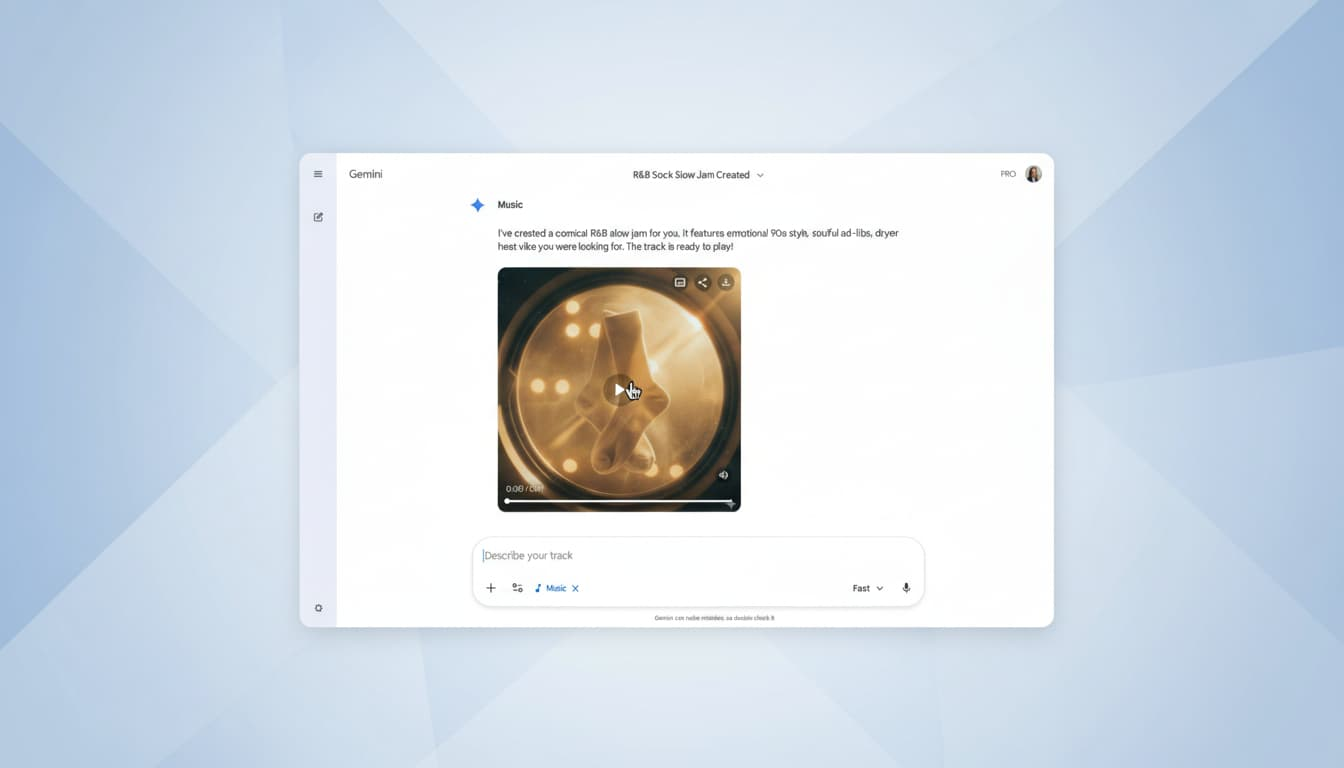
이렇게 쓴다: 텍스트·사진 → 트랙
- 텍스트로 바로 트랙 만들기 (Text to track)특정 장르·무드·에피소드만 설명하면 그에 맞는 가사와 음악을 만들어 줍니다.예: “엄마와 보낸 어린 시절, 집에서 먹던 플랜틴, 신나는 아프로비트로 만들어줘.”
- 사진·영상으로 트랙 만들기사진이나 짧은 영상을 업로드하면, 그 이미지의 분위기에 맞는 노래와 가사를 생성합니다.예: “이 사진들로, 숲 속을 하이킹하는 내 강아지 Duncan에 대한 트랙 만들어줘.”
- 30초 트랙 + 커버 아트결과물은 30초 길이의 음악과 Nano Banana가 만든 커스텀 커버 아트로 제공되고, 다운로드나 링크 공유로 바로 퍼블리시할 수 있습니다.컨셉은 “음악 명작”보다는 친구들이랑 공유할 수 있는 재밌고 유니크한 사운드 스티커에 가깝습니다.
시작하기
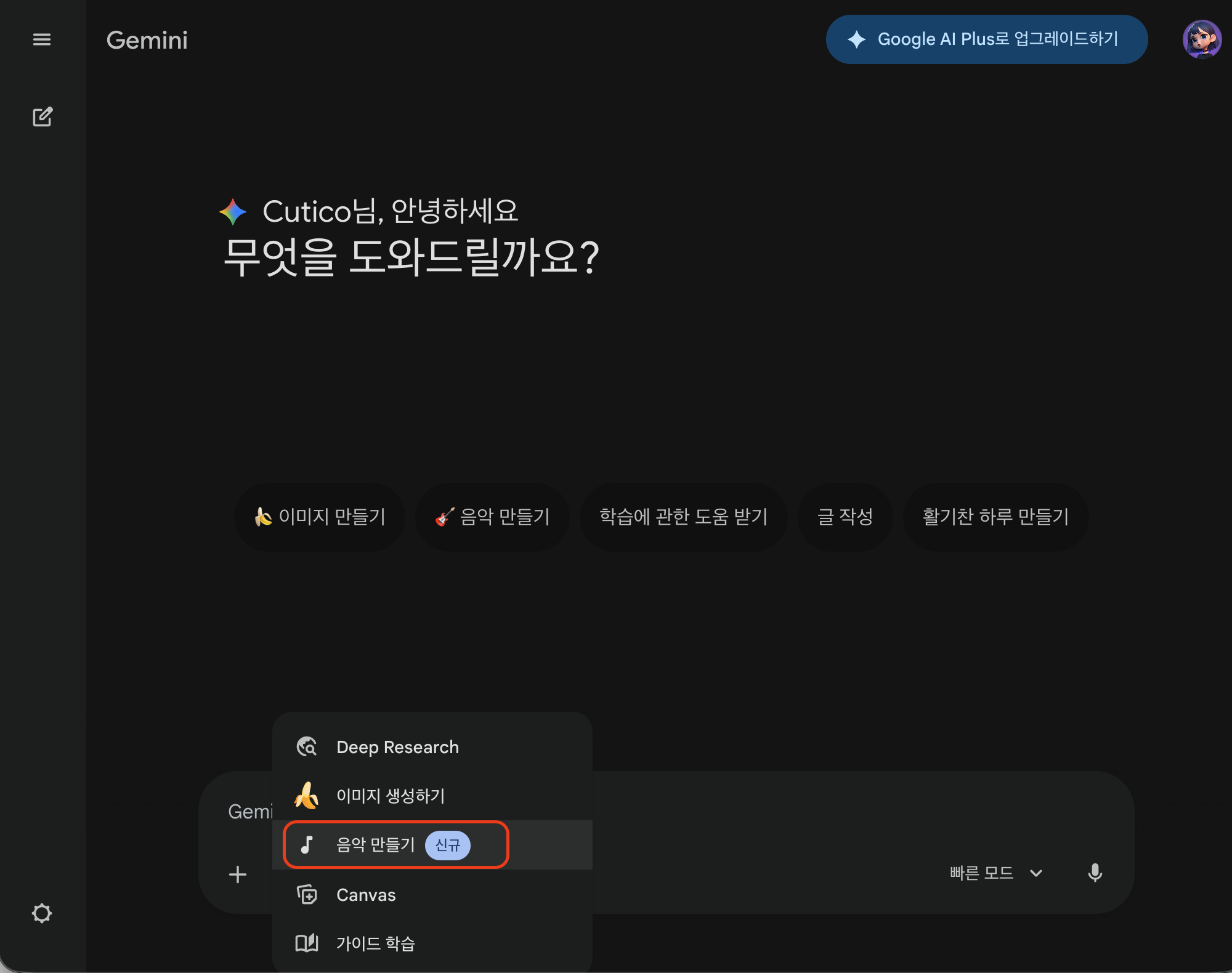
(1) https://gemini.google.com/ 제미나이에서 프롬프트 입력창 하단 '도구'클릭 , 음악 만들기 클릭
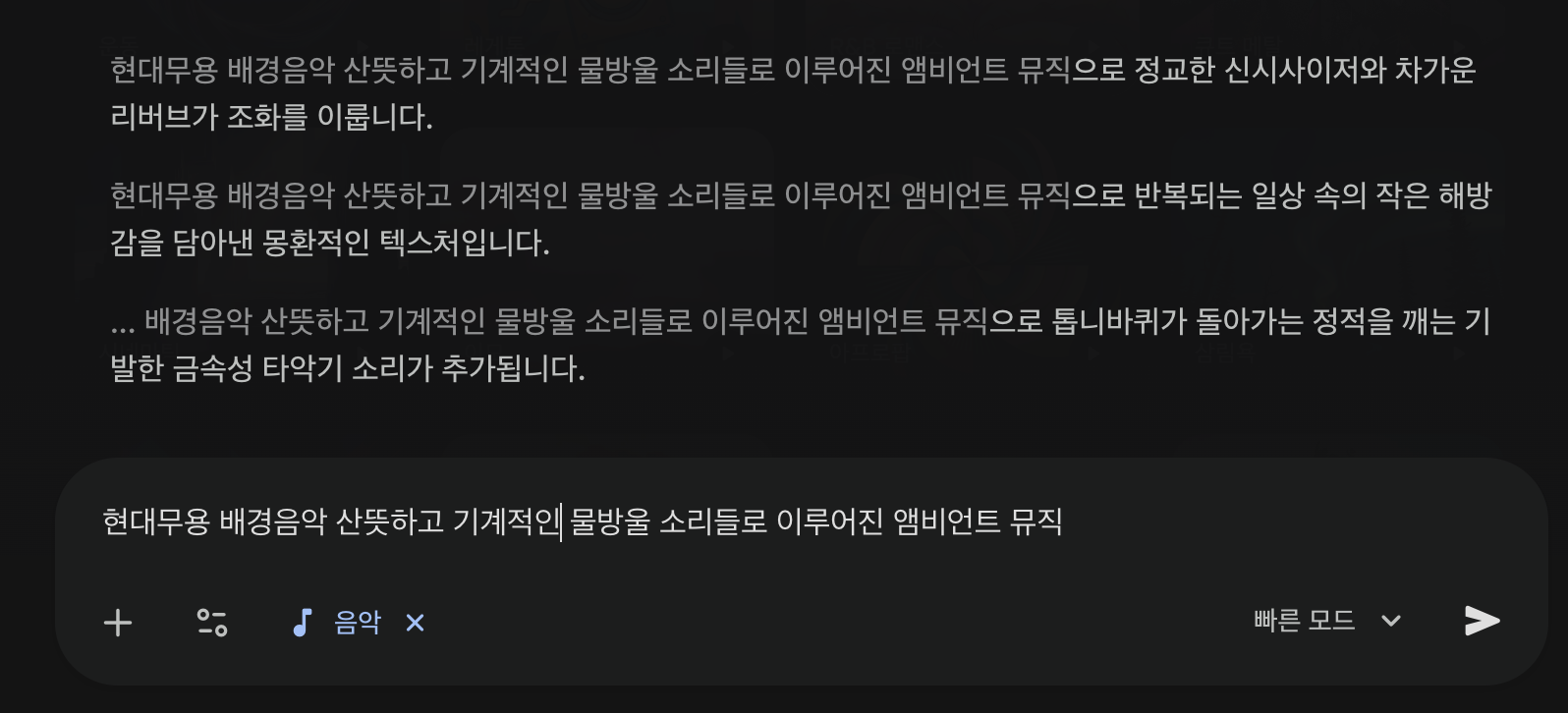
(2) 텍스트 프롬프트 넣으면 자동으로 교정된 프롬프트를 제안 받을 수 있습니다.
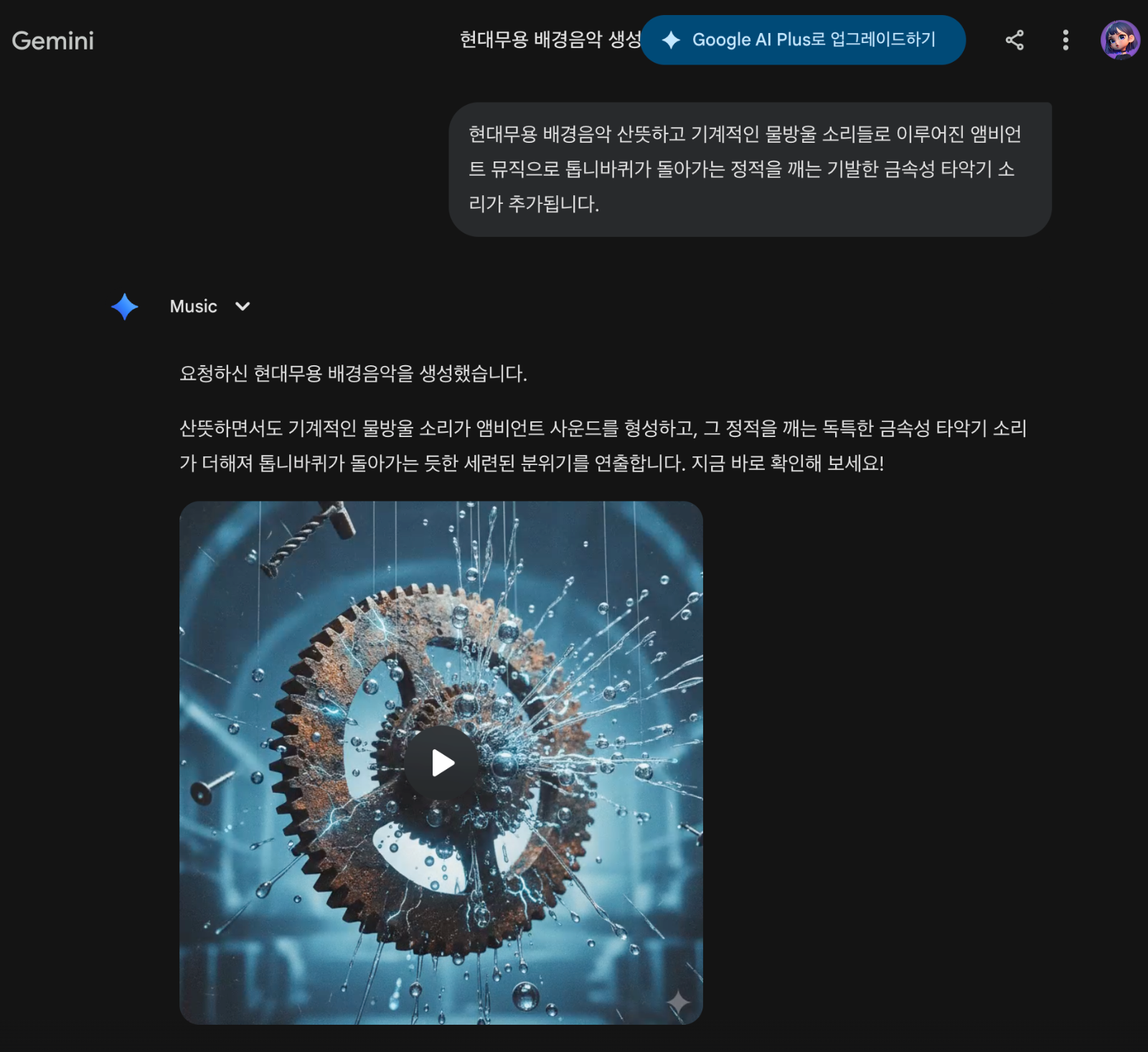
(3) 제안된 프롬프트 중에 한개를 선택하면 영상과 함께 음악이 생성됩니다.
유튜브 Shorts용 ‘Dream Track’도 강화
- 유튜브 크리에이터용 Dream Track에 Lyria 3 적용미국에서 먼저 쓰이던 Dream Track이 다른 나라 크리에이터에게도 확대 롤아웃 중이며, 이제 Lyria 3 기반으로 더 고퀄리티 사운드를 제공합니다.
- 쇼츠 사운드트랙 커스터마이징짧은 랩 버스, 후렴, 혹은 “그냥 분위기 깔리는 백킹 트랙”까지 상황에 맞게 만들 수 있어 쇼츠의 BGM 커스터마이징이 한층 쉬워집니다.
AI 음악, 어떻게 표시·보호하나?
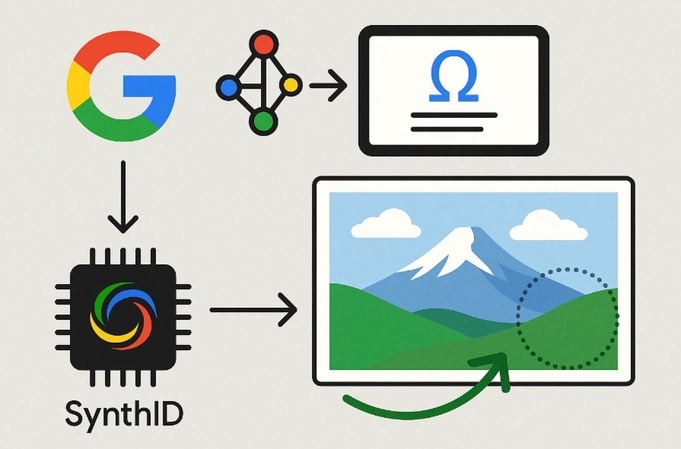
- SynthID 워터마크 기본 탑재Gemini 앱에서 생성한 모든 트랙에는 눈에 보이지 않는 SynthID 워터마크가 심어져, 구글 AI가 만든 콘텐츠인지 사후에 검증할 수 있습니다.
- “이거 AI야?” 확인 기능사용자는 오디오·이미지·영상 파일을 업로드하고 “이거 구글 AI가 만든 거야?”라고 물으면, SynthID 여부와 Gemini의 추론을 통해 AI 생성 여부를 알려줍니다.
- 책임 있는 개발 원칙2023년 Lyria 첫 출시 이후, 구글은 뮤직 커뮤니티와 협업하고 Music AI Sandbox 같은 실험을 진행하며 저작권과 파트너 계약을 고려해 Lyria 3을 훈련했다고 설명합니다.특정 아티스트 이름을 넣어도 “복제”가 아니라 스타일·무드 수준에서만 영감을 받도록 설계했으며, 기존 음악과의 유사성을 체크하는 필터도 적용되어 있습니다.
- 권리 침해 신고와 정책권리 침해가 의심되는 콘텐츠는 신고할 수 있고, 이용자는 서비스 약관과 생성형 AI 금지 사용 정책(타인의 지식재산권·프라이버시 침해 금지 등)을 따라야 합니다.
언제, 어디서, 누가 쓸 수 있나?
- 지원 언어와 나이 제한Lyria 3 기반 음악 생성은 Gemini 앱에서 영어, 독일어, 스페인어, 프랑스어, 힌디어, 일본어,
- 롤아웃 범위데스크톱에서는 오늘부터, 모바일 앱에는 며칠에 걸쳐 순차적으로 반영됩니다.
- 유료 구독자 혜택Google AI Plus, Pro, Ultra 구독자는 더 높은 사용 한도를 제공받는다고 밝혔습니다.
AI가 “그냥 글만 쓰는 비서”를 넘어서, 텍스트·사진만으로 나만의 사운드트랙을 찍어내는 시대가 본격적으로 열렸습니다.이제 밈, 브이로그, 스토리, 쇼츠마다 전용 BGM을 직접 “프롬프트로 작곡”하는 게 새 기본값이 될지 주목할 만합니다.
오늘의 Nanobanana Prompt
by 💜Cutico @cuticogent
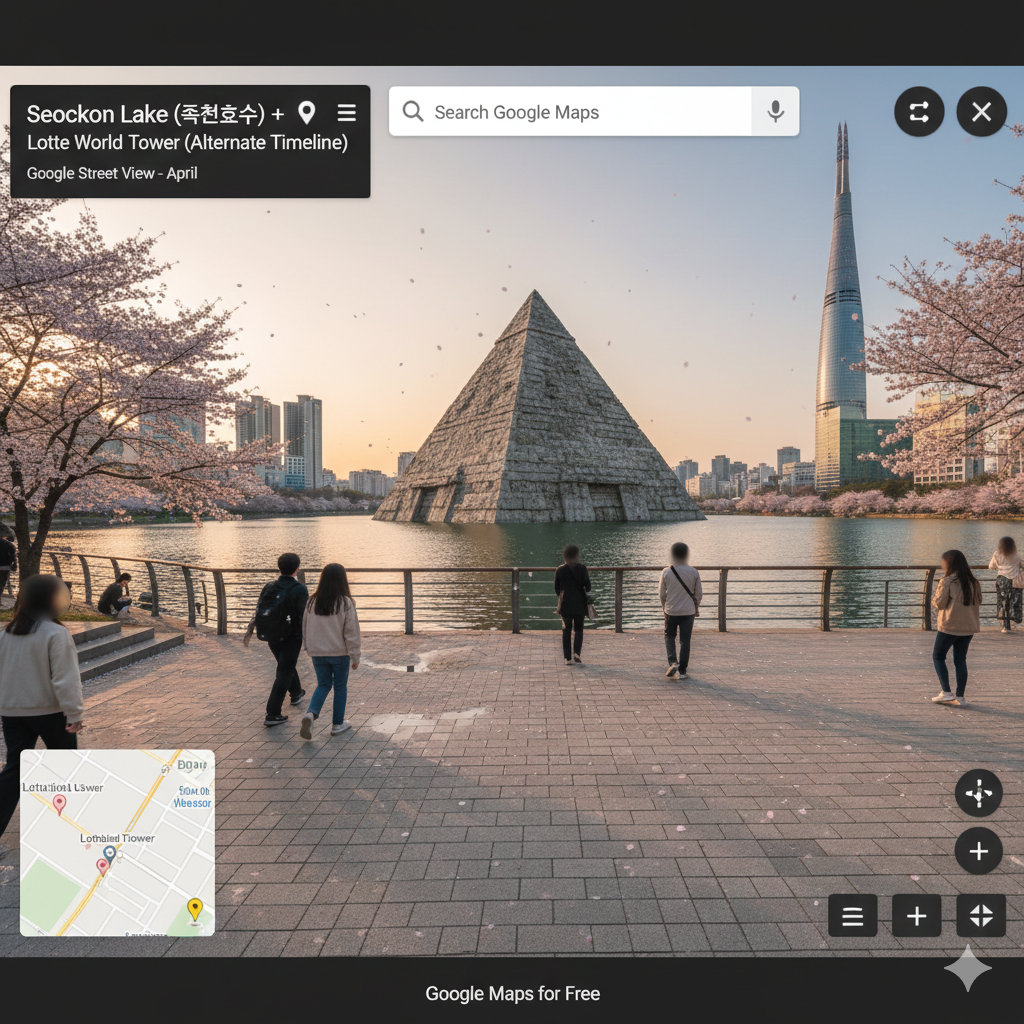
Create a hyper-realistic Google Street View-style desktop screenshot in a 16:9 aspect ratio (standard widescreen viewport), as if captured from Google Maps Street View on a desktop browser.

TIME & CONTEXT:
The scene is set at Seokchon Lake (석촌호수), Jamsil, Seoul, with Lotte World Tower visible, during sunset (golden hour). The approximate date shown in the UI is "April". The overlay location title is "Seokchon Lake (석촌호수) + Lotte World Tower (Alternate Timeline)".

CAMERA (STREET VIEW VIEWPORT):
This is NOT a full 360 equirectangular panorama output. It is a Street View viewport screenshot in 16:9.
Use a Street View car-mounted camera height (anachronistic but consistent). Place the camera at the lakeside walkway viewpoint. Use a wide-angle rectilinear Street View look (approximately 90–110° horizontal FOV), level horizon, natural perspective, and infinite depth of field.

PANORAMA SOURCE FEEL (NO VISIBLE SEAMS):
The image should feel like it comes from a stitched Street View panorama, but do not show any stitching seams, warping, or duplicated objects.

LIGHTING & COLOR:
Use natural sunset light (golden hour) with long realistic shadows, still in a documentary Street View capture style (not cinematic). Color grading is muted earthy tones with realistic daylight-to-sunset white balance and a subtle digital sensor feel.

STREET VIEW PHOTO AESTHETIC:
Add mild JPEG compression artifacts, slight oversharpening, and subtle digital noise typical of Street View imagery (not cinematic, not HDR).

GOOGLE MAPS / STREET VIEW UI OVERLAY (MUST BE VISIBLE):
Show Google Maps Street View UI elements on top of the image:
- Top-left black info card with title "Seokchon Lake (석촌호수) + Lotte World Tower (Alternate Timeline)" and subtitle "Google Street View - April", plus back arrow, location pin, and kebab menu icons.
- Floating top-left search bar with placeholder "Search Google Maps" and hamburger menu, magnifier, and directions arrow icons.
- Bottom-left minimap inset with map style: standard Google Maps light theme, pale-gray land, light-blue water, thin white roads, minimal labels, clean vector look, and labels: Lotte World Tower, Seokchon Lake. Include pins and a yellow Pegman icon.
- Bottom-right controls: zoom +/-, compass widget, and Street View navigation arrows.
- Top-right: share button and close (X) button.

SCENE DESCRIPTION:
A large ancient pyramid-shaped monument is floating silently above the surface of Seokchon Lake, positioned as the main anomaly within the 16:9 frame, while modern pedestrians continue walking around the lakeside path as if it is normal.

ENVIRONMENT & GROUND:
Foreground ground texture: lakeside pedestrian walkway with stone tiles and subtle concrete edges, scattered cherry blossom petals, small reflective patches near the lake edge. Do not include modern road markings. Shadows must be consistent and physically plausible.

MAIN EVENT (MID-GROUND CLARITY):
The main event subject is: a massive pyramid sculpture floating above the lake water, slightly above the surface, with crisp geometry and weathered stone texture, clearly readable in the mid-ground with neutral documentary framing.

CROWD & PRIVACY:
Crowd description: small-to-medium density pedestrians casually walking along the lakeside path, some stopping to look at the lake. Clothing is accurate for modern Seoul in April: light jackets, casual spring outfits. Crowd action: walking, pausing, looking toward the lake and the floating pyramid. Apply modern Street View-style Gaussian face blur to all identifiable faces.

ARCHITECTURE:
Surrounding structures/walls: lakeside railings, steps, trees lining the path, and distant city structures. Buildings materials and style: Lotte World Tower as modern glass-and-steel skyscraper, nearby modern buildings in concrete and glass; keep urban details consistent with Jamsil/Seoul.

ATMOSPHERE (OBJECTIVE CAPTURE):
Scattered objects or debris: drifting cherry blossom petals in the air and on the ground, small ripples on the lake surface, benches and lampposts along the path. Sky appearance: warm sunset gradient with soft orange and pink near the horizon fading to cooler blue above. Mood is captured without emotion, calm and observational, like an automated survey camera documenting a timeline glitch.

WEATHER:
Weather conditions: cherry blossoms are fluttering in a light breeze, clear spring air.

STRICT EXCLUSIONS:
Do not include any modern objects except the Google Maps Street View UI overlay and real Jamsil/Seoul elements (tower, benches, lampposts, railings). Do not use cinematic lighting. Do not use fantasy aesthetics. No frame, no border, no black bars, no watermark.


Negative Prompt:
cinematic lighting, movie still, fantasy art, illustration, painting, anime, HDR, ultra clean photo, studio lighting, bokeh, depth blur, tilt shift, frame, border, vignette, black bars, watermark, extra UI beyond Google Maps Street View, broken stitching, visible seam, warped perspective, duplicated objects from stitching errors, surreal glowing magic effects



의견을 남겨주세요