안녕하세요.
기자 김연지의 AI 레시피입니다.
요즘 가장 많이 받는 질문이 하나 있습니다.
“이 사진으로, 우리 가족 이야기까지 담을 수 있을까요?”
답은 분명합니다.
가능합니다. 그리고 생각보다 훨씬 정교하게 만들 수 있습니다.
이번 레터에서는 내 사진, 아이 사진, 가족 사진을 활용해
‘스토리 있는 이미지’를 만드는 프롬프트 설계법을 정리해드립니다. 만들다보면 시간가는 줄 몰라요!!
프롬프트는 한국어로 해도 되는데, 영어로 화면 확실히, 의도한 바가 더 정확하게 들어가는 것 같아서 영어로 했어요! 여러분들은 이 프롬프트 원문을 한국어로 바꾸셔서 필요한 부분을 나에게 맞게 변용해 쓰시길 권합니다!!
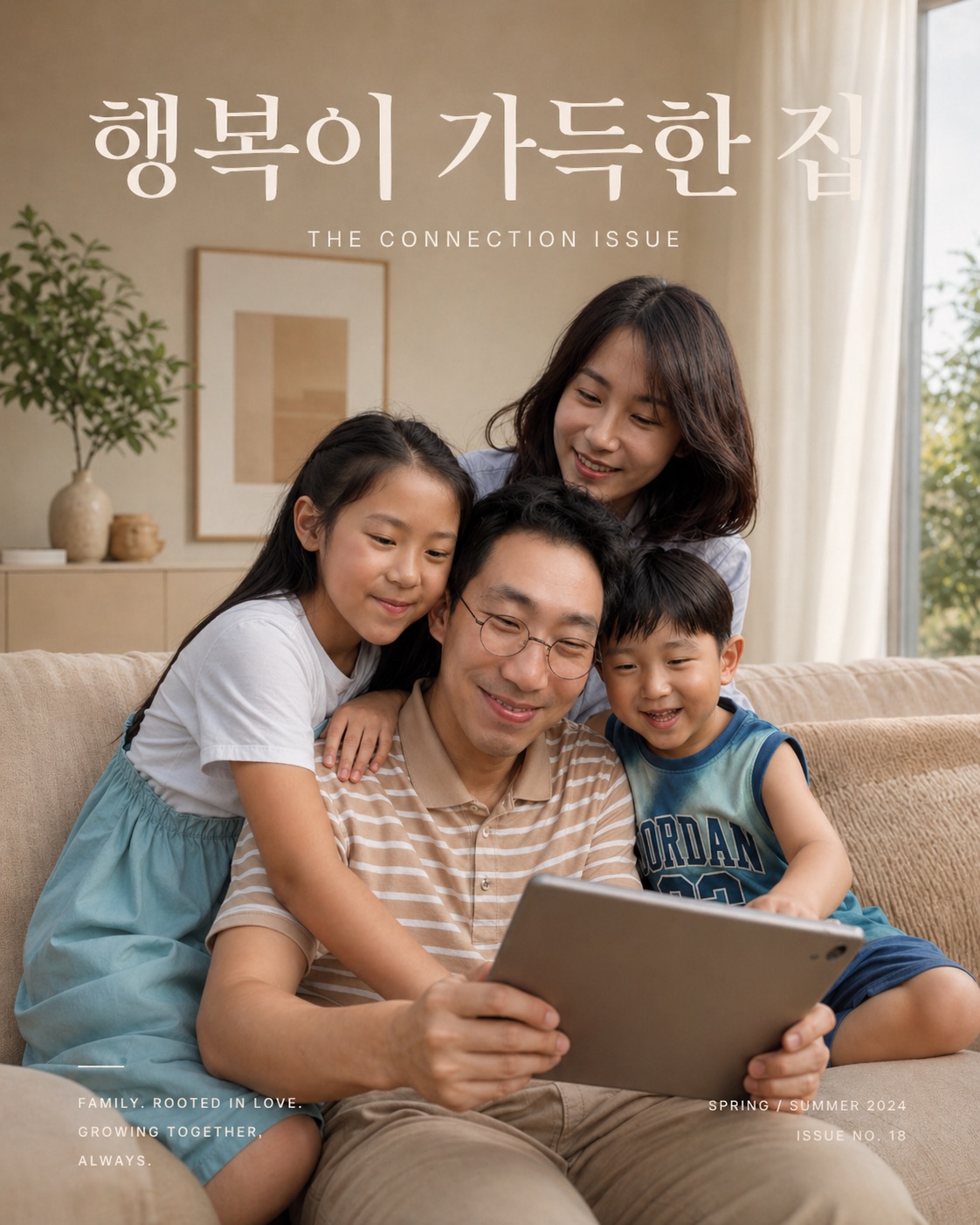
1. 가족 화보 (가족 사진 첨부)
[프롬프트]
A premium lifestyle magazine cover featuring a warm, happy family sitting together on a cozy sofa, smiling and interacting naturally while looking at a tablet.
Use the uploaded image as the main subjects (keep their faces, identity, and appearance consistent).
Style: soft natural light, warm beige and cream color palette, Scandinavian minimal interior, clean and elegant mood
Composition:
centered family composition, slightly zoomed out bright window light from the side soft shadows, calm and peaceful atmosphere modern home interior with minimal decor (plant, neutral furniture)
Typography layout (magazine style):
large elegant serif title at the top: "KIN & CO" (or 행복이 가득한 집 등) small subtitle below: "THE CONNECTION ISSUE" clean spacing, high-end editorial design
Mood:
emotional connection, family warmth, intimacy natural smiles, candid moment (not posed)
Rendering style:
high-resolution editorial photography realistic skin tones, soft lighting, premium magazine aesthetic Camera
shot on 50mm lens, shallow depth of field, cinematic composition Color
color grading: warm beige tones, soft highlights, low contrast, airy feeling Expression
candid moment, laughing naturally, emotional interaction 변형 버전 (브랜딩용 추천) 같은 구조에서 타이틀만 바꾸면 콘텐츠 확장 가능합니다.
A. 자기계발 브랜드용
Title: "MORNING RECIPE" Subtitle: "Design Your Life"
B. AI 콘텐츠 브랜드용
Title: "AI RECIPE" Subtitle: "Work Smarter, Live Better"
C. 개인 브랜딩용
Title: "YONJI KIM" Subtitle: "Designing Life with Questions"
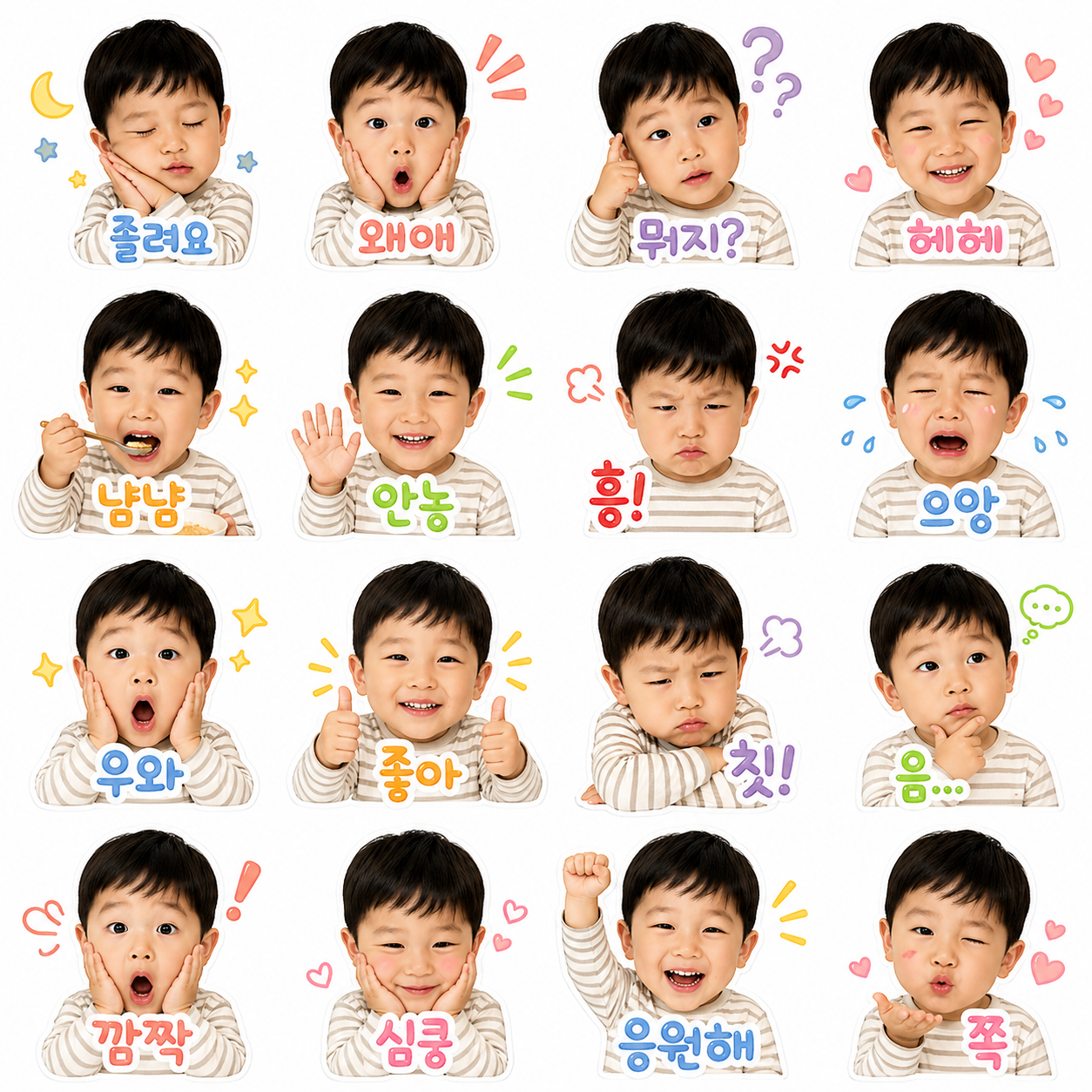
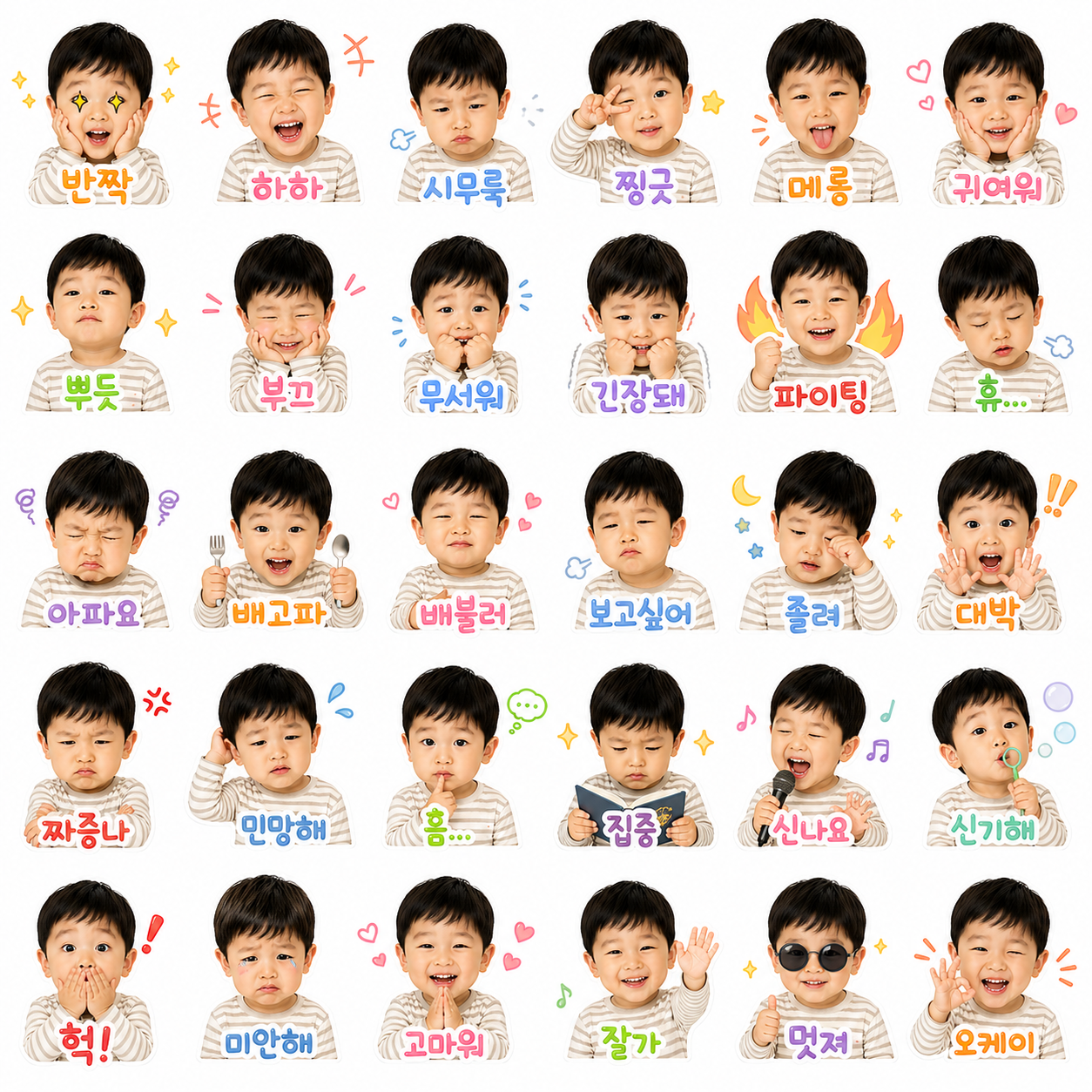
2. 베이비 포토 이모티콘 A 4x4 grid of cute Korean-style baby emoji stickers, consistent character design across all frames, white background, clean sticker style.
Character:
A realistic cute Asian baby, round face, soft skin, short black hair, wearing a simple striped shirt, front-facing, centered composition.
Style:
KakaoTalk emoji sticker style, pastel color palette, soft lighting, high clarity, no background clutter, each sticker separated with equal spacing.
Scenes:
16 different expressions and actions:
sleepy, surprised, confused, smiling, eating, waving hello,
angry, crying, amazed, thumbs up, sulking,
thinking, shocked, shy, cheering, blowing a kiss
Text:
Add short Korean captions for each sticker in a cute rounded font, colorful outline, placed near the character:
examples: 졸려요, 왜애, 헤헤, 냠, 안뇽, 흥, 우와, 좋아, 칫, 멍, 깜짝, 심쿵, 응원해, 쪽 (다양한 기분, 인사, 감정, 리액션 등)
Rules:
* keep the same character identity in all 16 frames
* each frame must be visually distinct in emotion and pose
* no cropping, all faces fully visible
* maintain clean white background
* balanced layout, evenly spaced grid
* high resolution, sticker-ready quality
ultra high resolution, sharp focus, soft shadows, sticker pack design, commercial quality, no watermark, no distortion
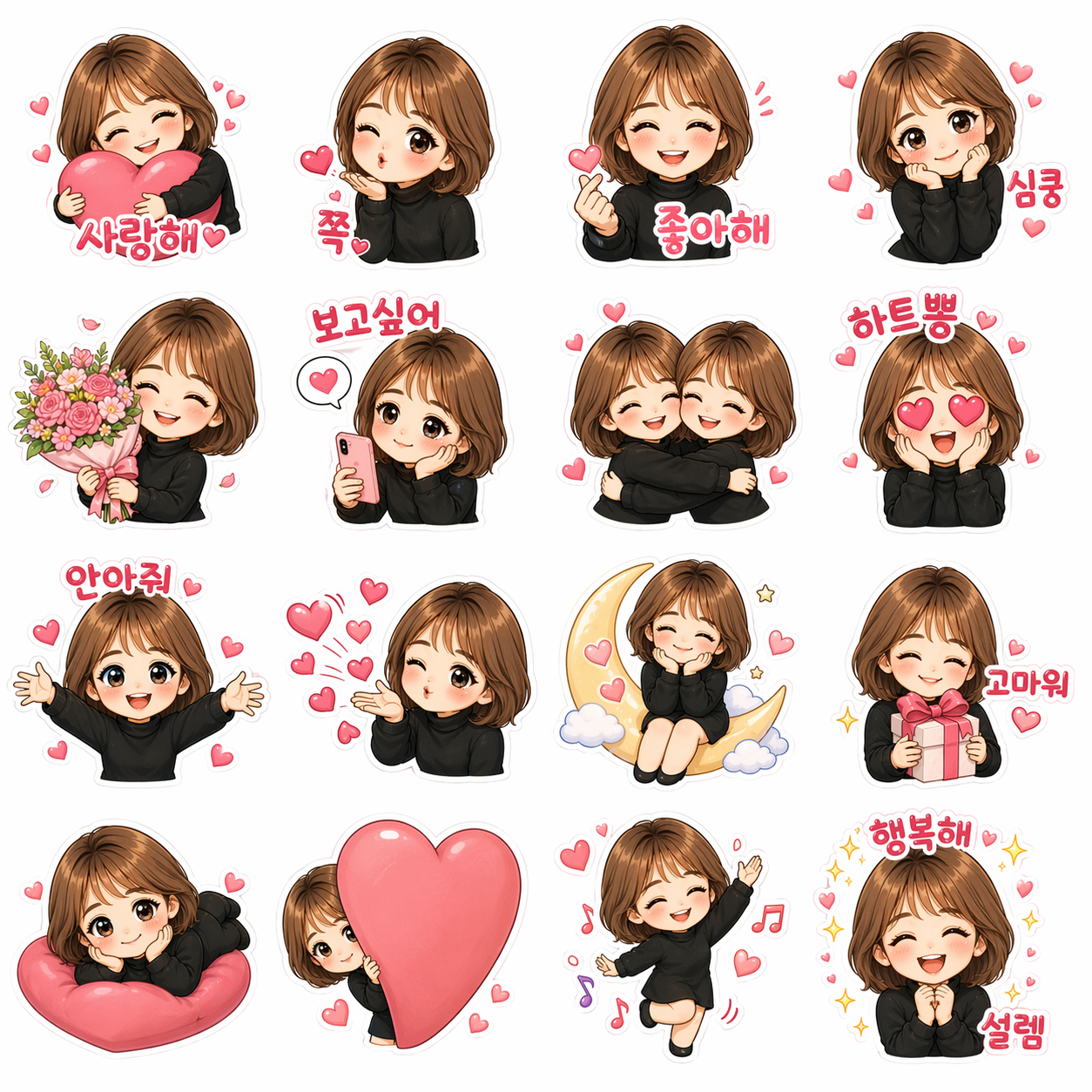
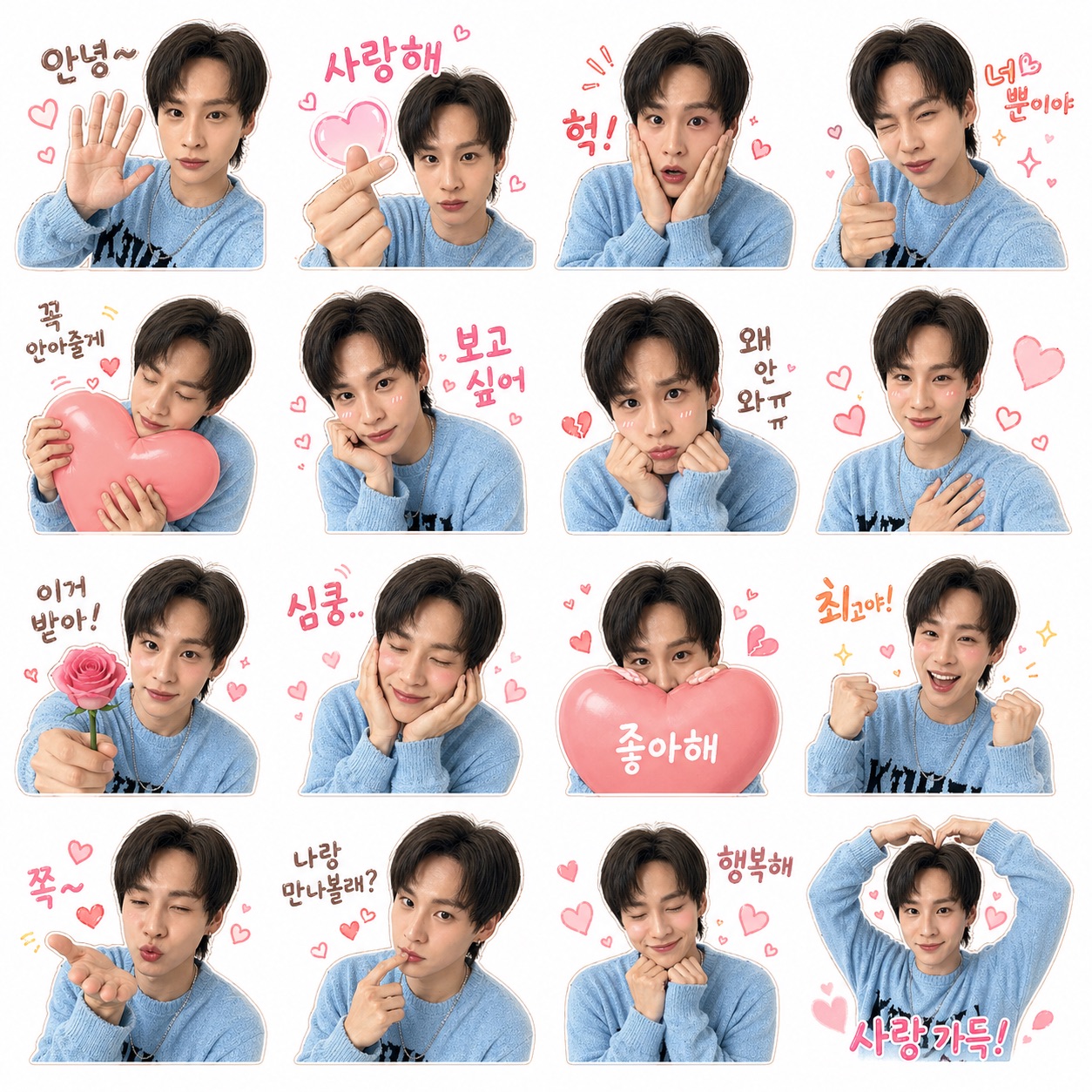
3. 캐릭터 이모티콘 (2번 베이비 포토는 성인이나 조금 큰 어린이를 넣으면, 그렇게 닮게 잘 안나오더라구요! 그래서 준비했습니다!!)
첨부된 이미지를 기반으로 동일한 캐릭터 스타일을 유지한 카카오톡 이모티콘 시트 제작.
[기본 설정]
4x4 그리드 구성 (총 16개 이모티콘)
각 칸은 서로 다른 상황과 감정 표현
모든 장면에서 캐릭터 외형, 얼굴, 분위기 동일하게 유지
귀엽고 따뜻한 감성, 파스텔 톤
흰 배경, 스티커처럼 깔끔하게
각 장면은 독립적으로 사용 가능한 이모티콘 형태
[테마]
주제: {사랑}
(예: 사랑, 일상, 음식, 운동, 회사, SNS, 육아 등)
[장면 생성 규칙]
테마에 맞는 행동 + 감정 조합으로 16개 장면 자동 구성
표정은 과장되게, 하지만 귀엽고 자연스럽게
캐릭터 간 상호작용 적극 포함
[텍스트]
테마에 맞는 한국어 짧은 문구 5~10개 자동 생성하여 배치
(예: 인사, 감정, 리액션 중심)
[출력]
sticker sheet format, 16 panels, consistent characters
Create a KakaoTalk emoji sticker sheet from the attached image.
Keep the same character design, face, and style in all panels.
4x4 grid, 16 panels.
Each panel shows a different emotion and situation.
Cute, warm, pastel colors.
Clean white background.
Sticker style.
Theme: Love. Emotion, greeting, thanks
Make 16 scenes using love-related actions and emotions.
Use exaggerated but natural and cute expressions.
Include interaction between characters.
Add 16 short Korean texts.
Texts should match emotions: greeting, love, reaction, mood.
Final output: sticker sheet, 16 panels, consistent character.
Please make sure no other children appear except the one in the attached photo.
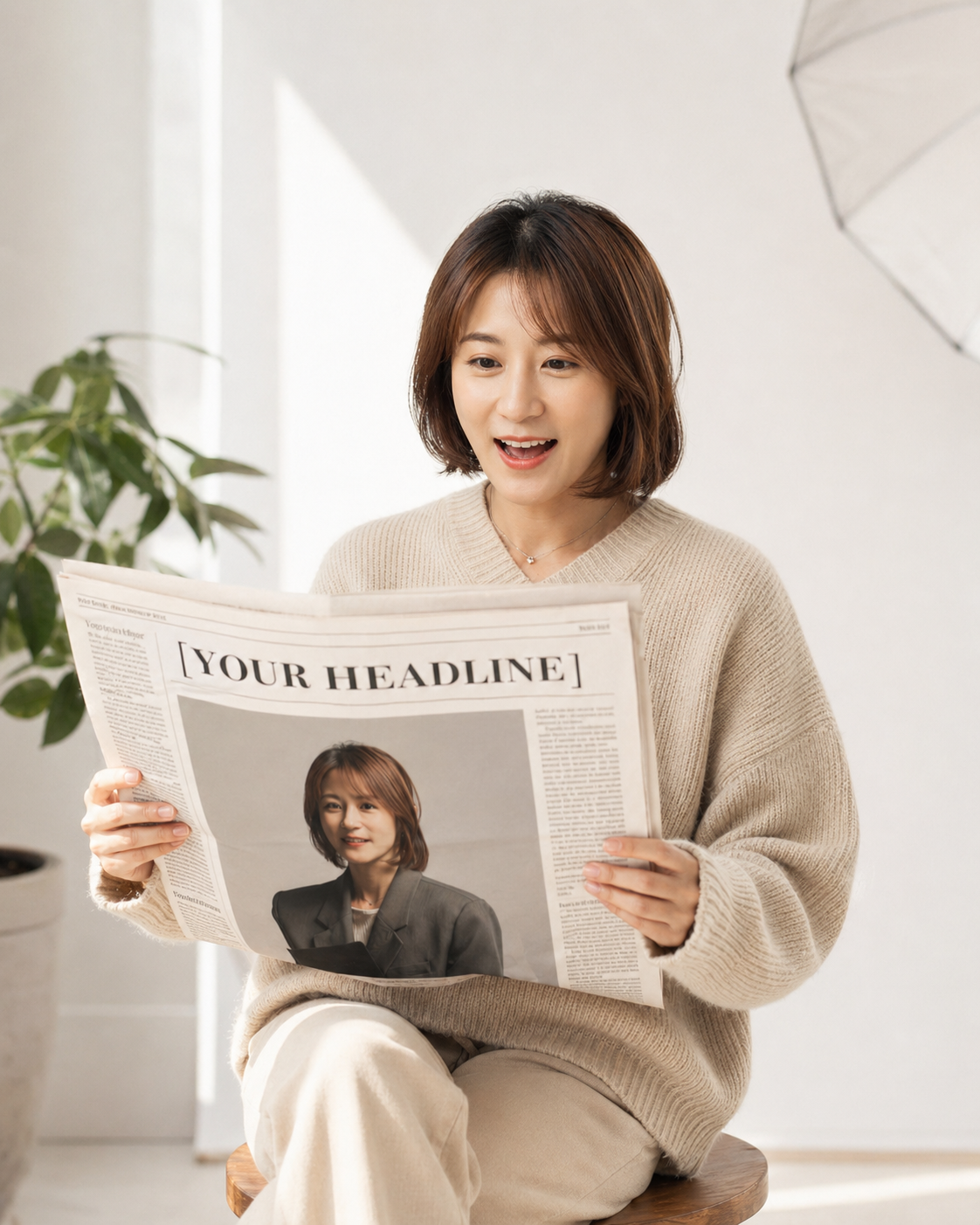
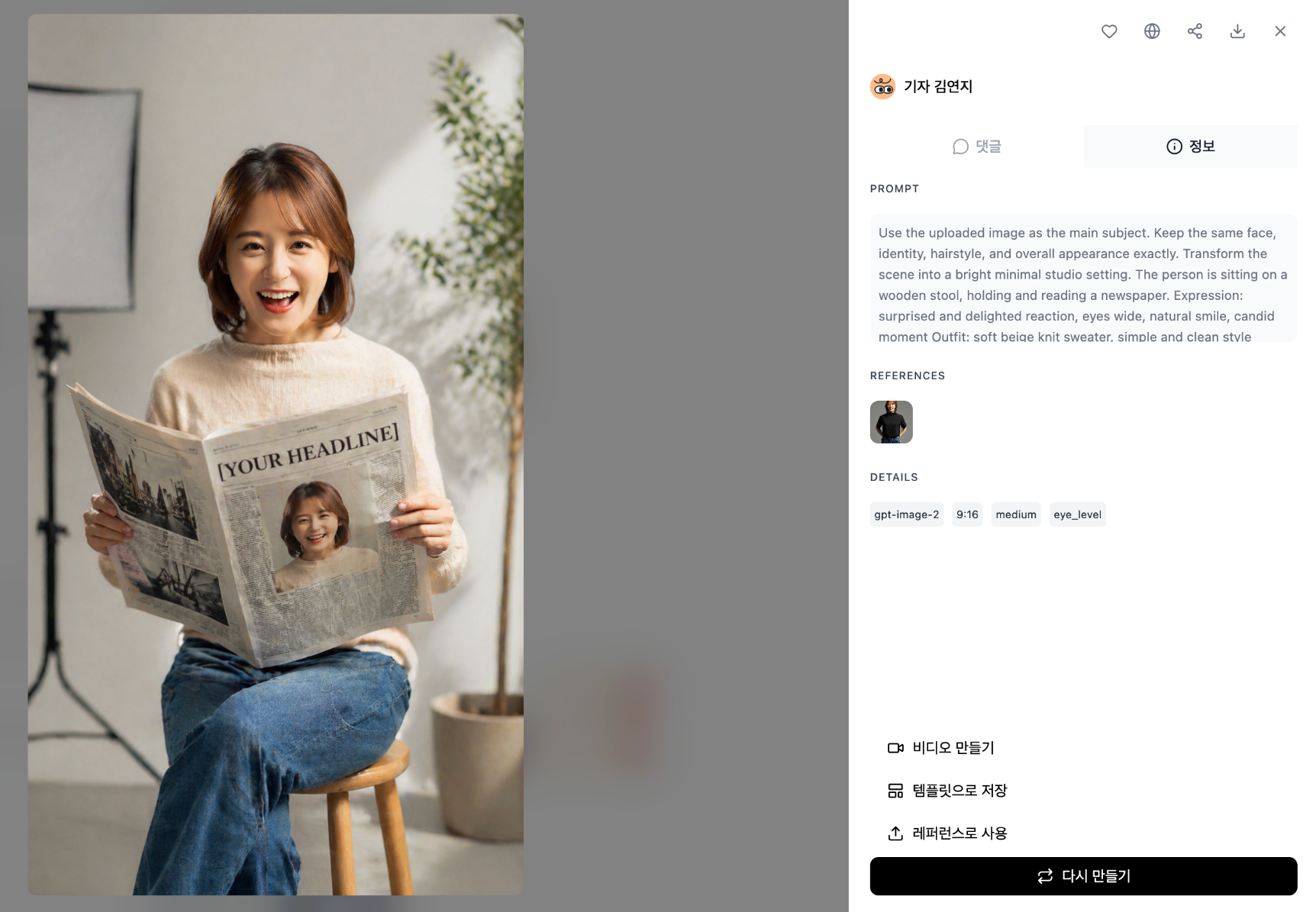
3. 신문 사설용 Use the uploaded image as the main subject.
Keep the same face, identity, hairstyle, and overall appearance exactly.
Transform the scene into a bright minimal studio setting.
The person is sitting on a wooden stool, holding and reading a newspaper.
Expression: surprised and delighted reaction, eyes wide, natural smile, candid moment
Outfit: soft beige knit sweater, simple and clean style
Environment:
white wall background, indoor plant, soft natural daylight coming from the side,
studio softbox light subtly visible in the background
Newspaper:
realistic newspaper layout,
front page includes a portrait photo of the same person and a bold headline
the newspaper headline reads: "[YOUR HEADLINE]"
Style:
editorial lifestyle photography, premium magazine style,
soft shadows, warm neutral tones (beige, cream, white),
clean composition, minimal Scandinavian interior
Camera:
medium shot (waist-up), centered composition,
shallow depth of field, sharp focus on subject
Quality:
ultra realistic, cinematic color grading, high resolution
--ar 4:5 --style raw --v 6
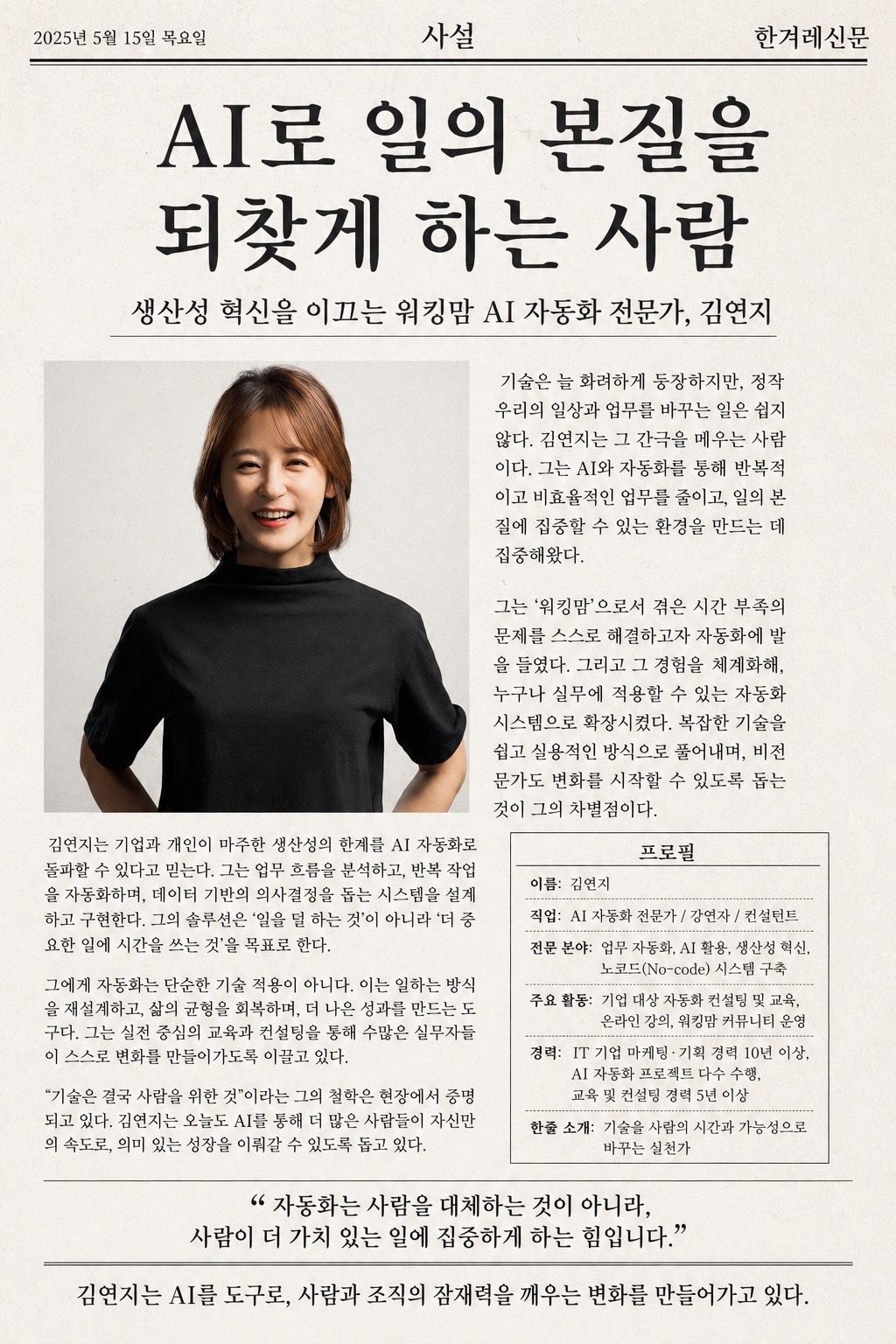
Create a full-page Korean newspaper editorial profile layout based on a provided portrait photo.
[INPUT]
- Use the uploaded image as the main profile photo of the person
[LAYOUT STRUCTURE]
1. Header (top bar)
- Korean newspaper style header
- Include date, section title “사설”, and newspaper name
- Clean, minimal editorial style
2. Main headline (centered, large, bold Korean text)
- Write a powerful editorial-style headline that defines the person
- Format: “OOO하는 사람” 또는 “OO로 시대를 말하다”
3. Subheadline
- One sentence describing the person’s role or identity
- Format: “OO 분야의 전문가, OOO”
4. Main image placement
- Place the provided photo on the left side
- Natural crop, full visibility of face
- Blend naturally into newspaper layout
5. Article body (important)
- Two-column Korean newspaper article layout
- Write 3~5 short paragraphs describing:
- what this person does
- what makes them different
- their perspective or philosophy
- Tone: objective, editorial, insightful (not promotional)
6. Profile box (right side)
Title: “프로필”
Include structured items:
- 이름:
- 직업:
- 전문 분야:
- 주요 활동:
- 경력:
- 한줄 소개:
7. Quote highlight
- Add one impactful quote in quotation marks
- Make it visually separated
8. Bottom conclusion
- One strong concluding editorial sentence centered at the bottom
[STYLE]
- Realistic Korean newspaper design
- Black text on slightly warm white paper
- Subtle paper texture and ink noise
- Clean grid system, balanced margins
- Serif-style editorial typography 느낌
[RULES]
- All text must be in Korean
- Avoid broken or distorted characters
- Maintain real newspaper readability
- No exaggerated colors or modern UI styles
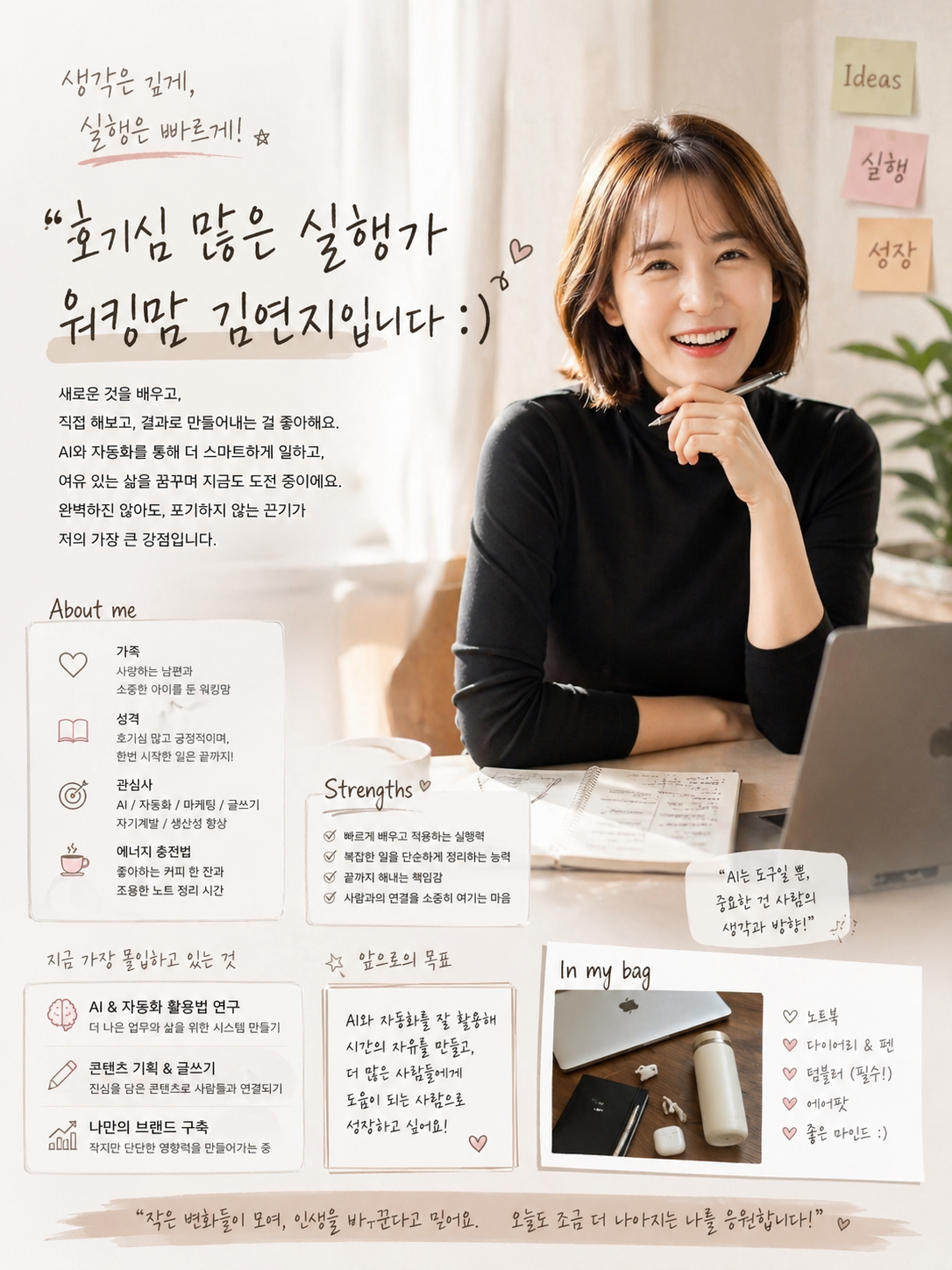
4. "나 이런 사람이야~" 포스터 지금까지와의 내 대화를 분석해서 솔직한 내 모습을 표현하는 프로필 포스터를 그려 . 4:5 사이즈. (사진 첨부)
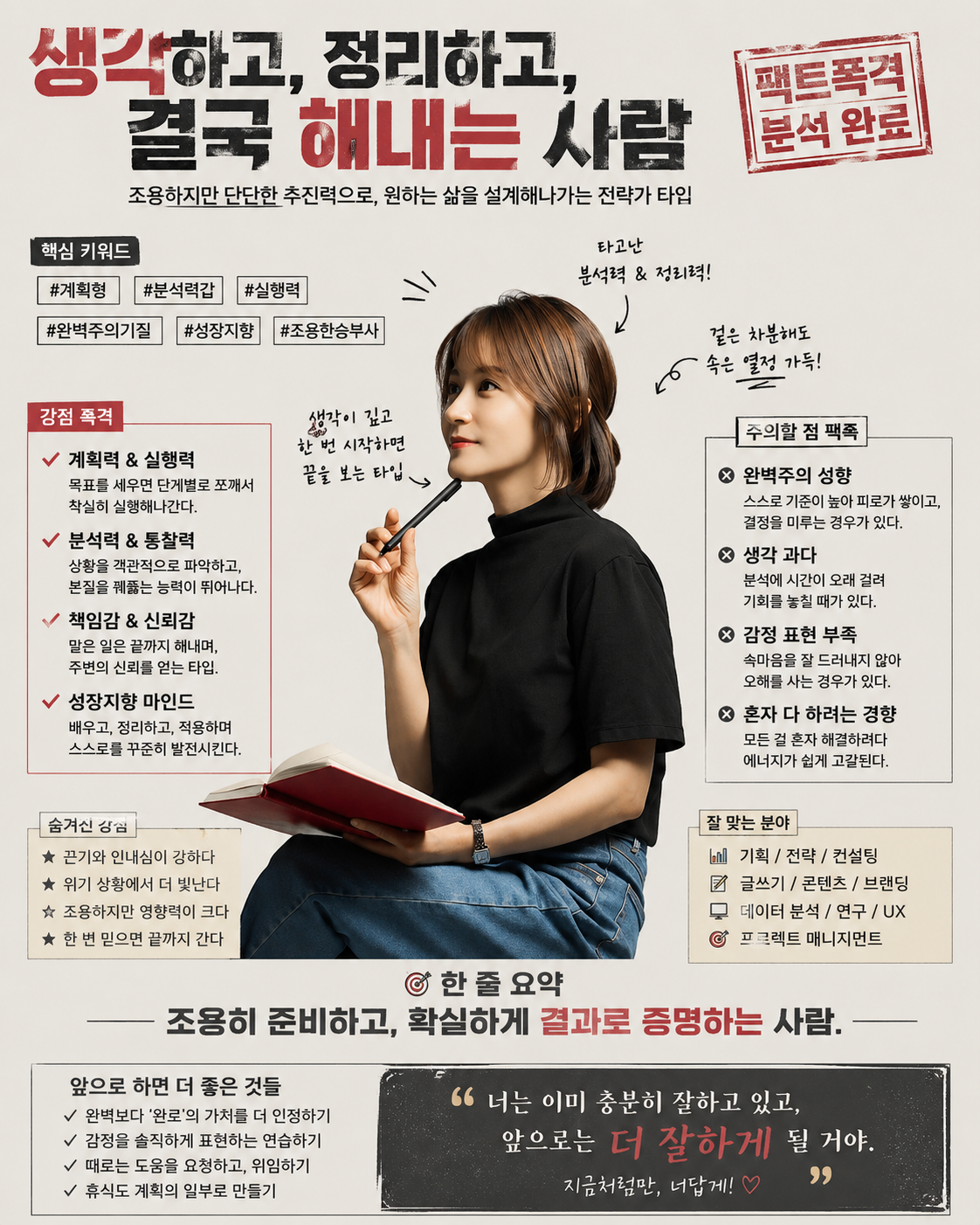
5. 팩트폭격 포스터 지금까지와의 내 대화를 분석해 나에 대해 팩트폭격해줘. 4:5 사이즈. (사진 첨부)
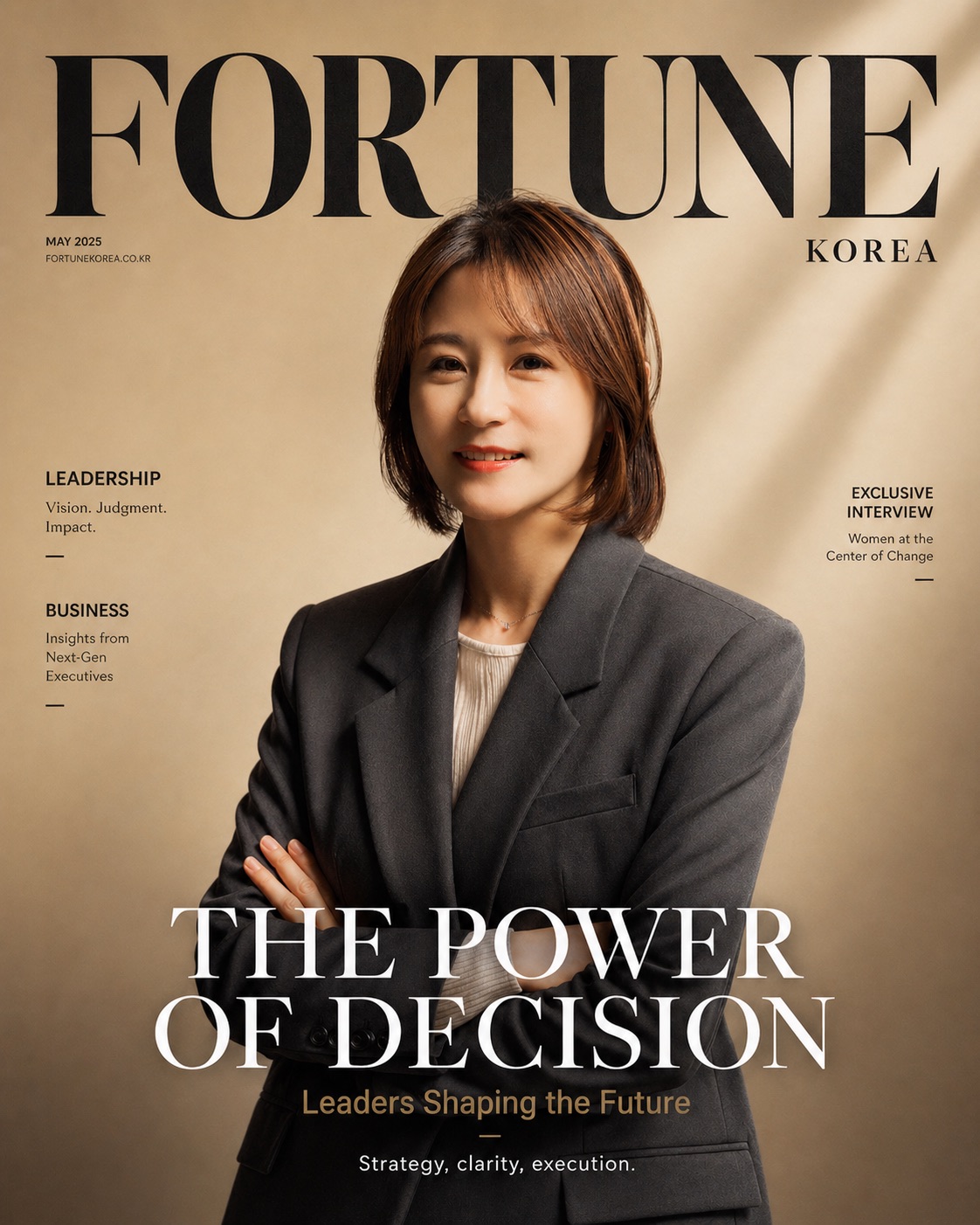
6. 화보 Create a premium magazine cover using the uploaded image as the main subject.
[Subject]
Use the uploaded image as the main person.
Keep face, identity, and expression consistent.
Natural confident smile, arms crossed, editorial pose.
[Style]
High-end editorial photography
Soft natural lighting, warm beige and cream gradient background
Subtle film grain, clean and minimal luxury aesthetic
[Composition]
Centered portrait, medium shot (waist-up)
Balanced negative space for typography
Soft shadow, studio lighting
Elegant and calm mood
[Magazine Title]
Replace with: {MAGAZINE_NAME 예) Fortune}
Large, bold, serif typography at the top
Style should match high-fashion / business editorial (depending on brand)
[Headline]
Main headline (center or lower center):
"{MAIN_HEADLINE}"
[Subheadline]
"{SUB_HEADLINE}"
[Additional text]
Small editorial caption at bottom:
"{CAPTION_TEXT}"
[Typography Style]
Clean spacing, luxury editorial layout
Mix of serif (title) and minimal sans-serif (subtext)
High contrast, readable
[Rendering]
Ultra high resolution
Realistic skin tone
Sharp focus, cinematic color grading
Professional magazine cover design
Aspect ratio: 4:5
{MAGAZINE_NAME}: FORTUNE KOREA
톤: 비즈니스, 리더십, 신뢰감
폰트: 두껍고 직선적인 serif + sans-serif
{MAIN_HEADLINE}: THE POWER OF DECISION
{SUB_HEADLINE}: Leaders Shaping the Future
{CAPTION_TEXT}: Strategy, clarity, execution.
인물 유지 문장 필수
→ “keep face, identity consistent”
(이거 빠지면 얼굴 바뀜)
매거진 스타일을 직접 명시
→ “high-end editorial photography”
→ “magazine cover design”
타이포그래피 구조 분리
→ Title / Headline / Subheadline / Caption 나눠야 깔끔
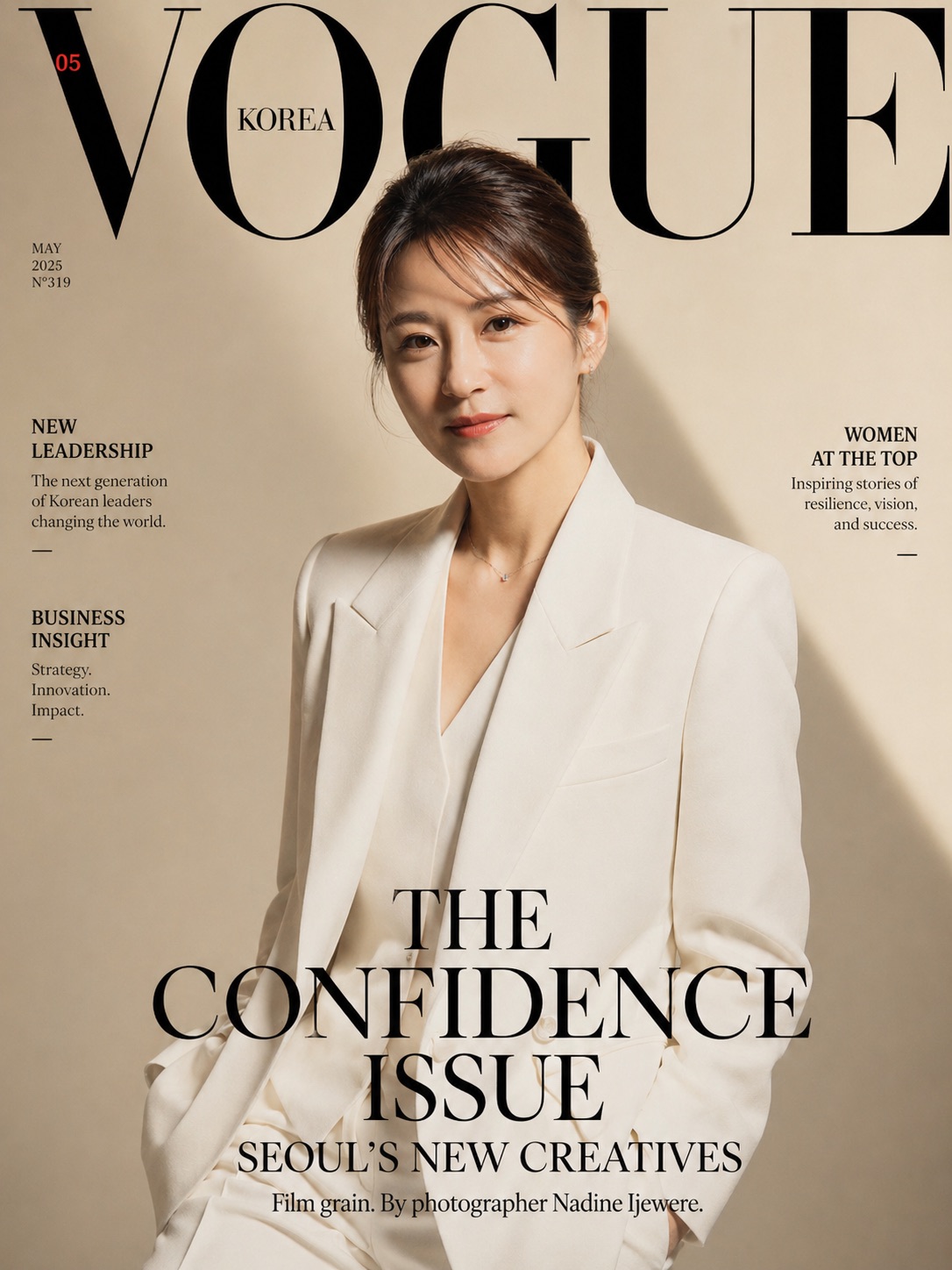
같은 사진에 프롬프트- 보그로 바꾸고, 옷 바꾸고, 머리 올림머리로.
사진은 이제 ‘기록’이 아니라 ‘설계’입니다 예전에는 사진을 찍었다면,
지금은 사진을 다시 만든다는 개념이 더 정확합니다.
하나의 이미지를 기반으로
잡지 커버처럼 만들 수도 있고 우리 가족의 브랜드 이미지로 확장할 수도 있고 아이의 성장 스토리를 콘텐츠로 바꿀 수도 있습니다
핵심은 기술이 아니라
프.롬.프.트. 설계 방식 입니다.
잘 되는 이미지의 공통점 많은 분들이
“왜 어떤 이미지는 자연스럽고, 어떤 건 어색할까요?”라고 묻습니다.
차이는 단 하나입니다. 바로 구조를 나눴는지 여부!
예를 들어 잘 되는 프롬프트는 이렇게 설계됩니다.
Subject (인물 유지)
Style (매거진 / 감성 / 다큐 등) Composition (구도, 배치) Lighting (빛)
이 구조가 들어가면
이미지는 ‘결과’가 아니라
의도된 결과물이 됩니다.
‼️ 반드시 알아야 할 주의사항 이 부분은 꼭 짚고 넘어가겠습니다.
1. 얼굴 일관성 유지 문장 필수 프롬프트에 아래 문장이 반드시 들어가야 합니다.
→ keep face, identity consistent
이 문장이 빠지면
같은 사람처럼 보이지 않는 이미지가 생성될 수 있습니다.
2. 사진 사용 권한 문제 가족, 아이 사진을 활용할 경우
을 반드시 고려해야 합니다.
특히 아이 사진은
공개 범위 설정이 핵심입니다.
3. 과도한 보정 → 신뢰도 하락 AI 이미지의 가장 큰 리스크는
“너무 완벽해서 오히려 가짜처럼 보이는 것”
입니다.
→ 자연스러운 결 유지
→ 과한 피부 보정 금지
→ 현실감 유지
이 3가지를 지키는 것이 중요합니다.
4. ‘예쁜 이미지’보다 ‘맥락 있는 이미지’ 많은 분들이 여기서 실수합니다.
예쁜 이미지는 소비됩니다.
맥락 있는 이미지는 공유됩니다.
[오늘의 레시피]
AI는 결국 도구입니다.
하지만 프롬프트는 설계입니다.
같은 사진이라도
누군가는 기록으로 남기고,
누군가는 콘텐츠로 확장합니다.
그 차이는
질문과 구조에서 시작됩니다.
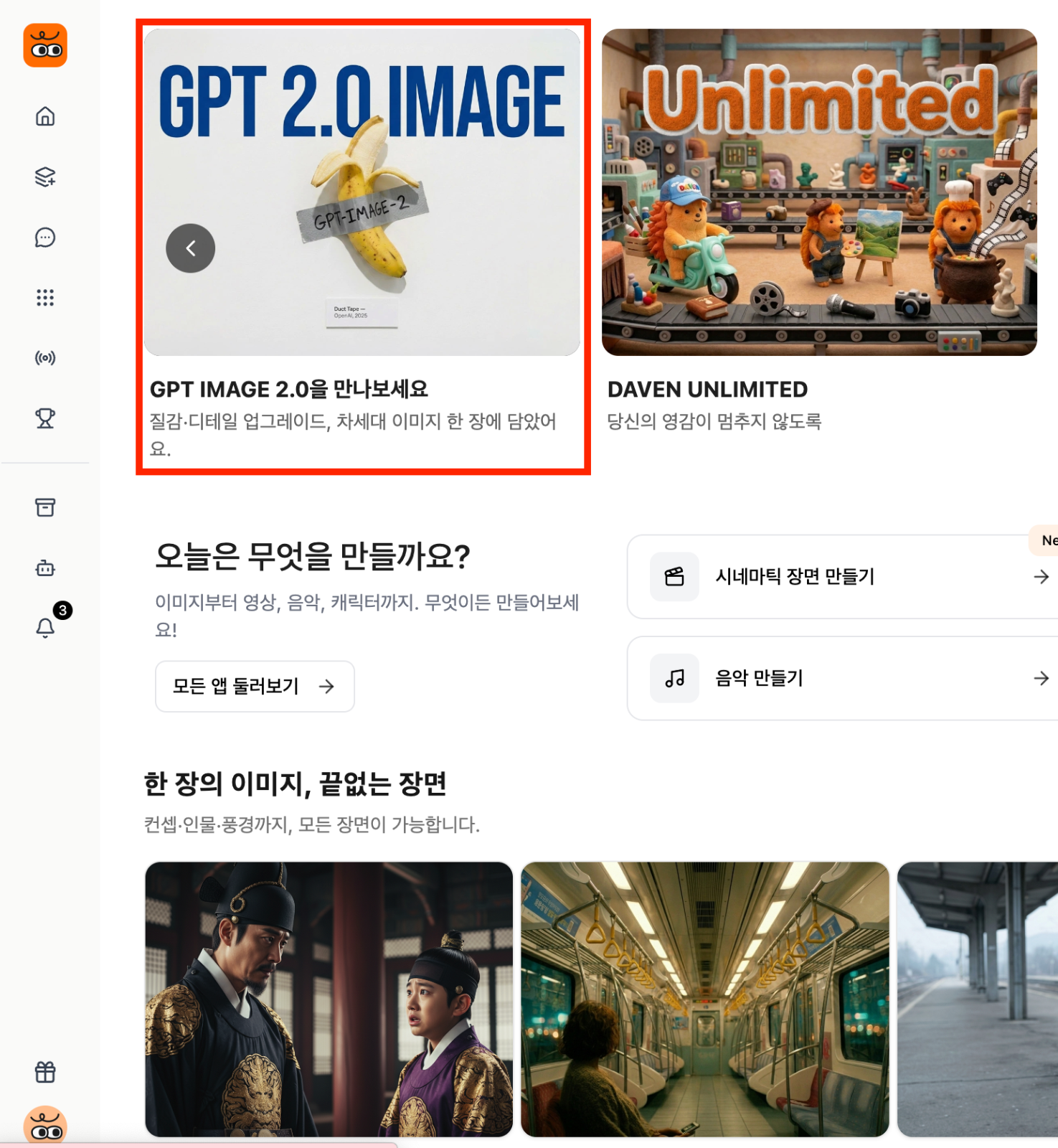
[참고] 아직도 이미지 만들고 영상 만들고 왔다갔다 하세요?! 데이븐AI에 GPT 2.0 이미지가 탑재됐어요!
만든 다음 라이브러리에서 곧바로 이미지 추가 또는 드래그 해서, 곧바로 영상 만들 수 있습니다!
물론 나노바나나2. 프로도 다 있어요 ^^
수노도 있으니 편하게 한곳에서 만들어보세요!!
https://daven.ai/
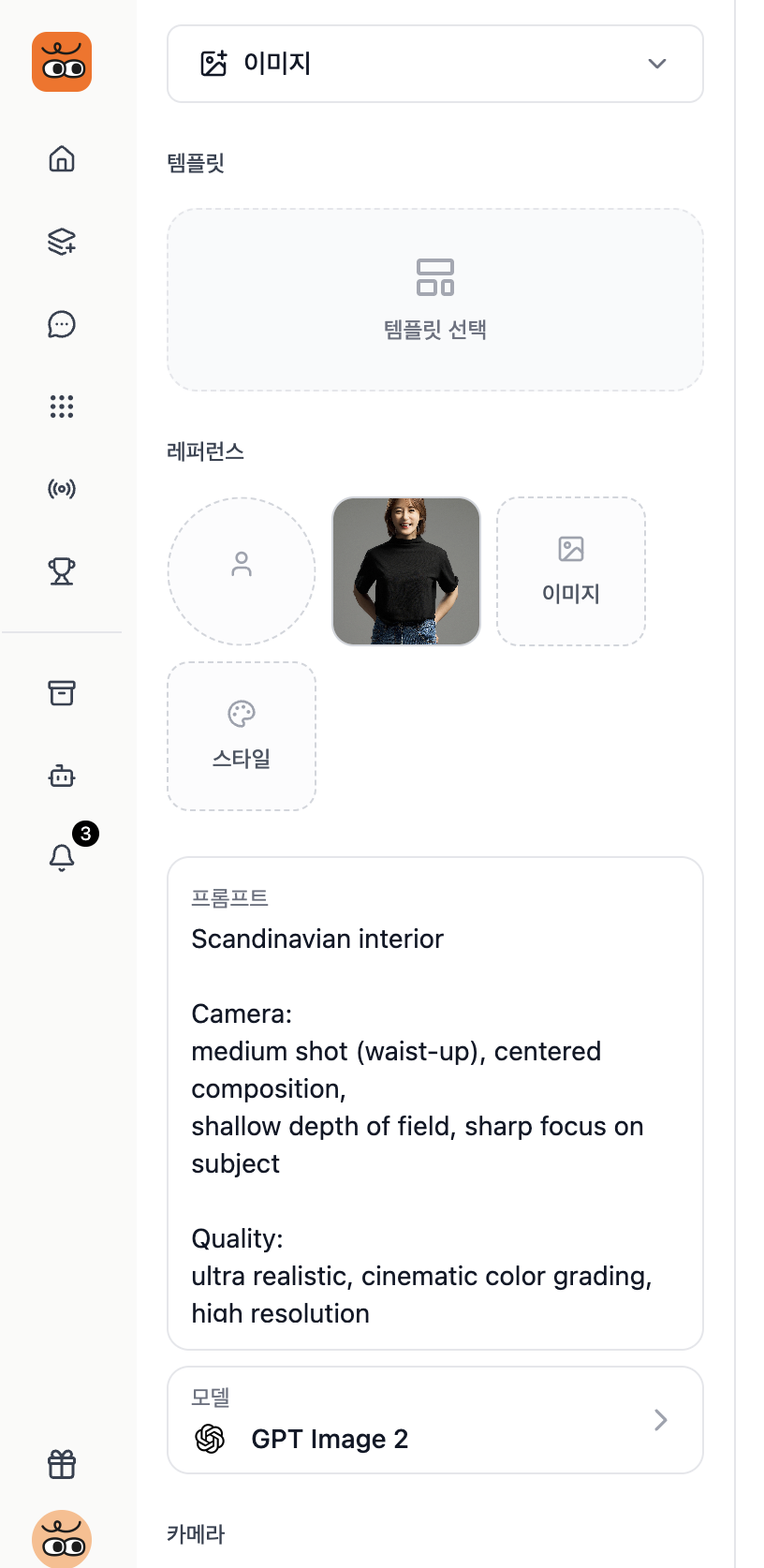
2. GPT 이미지 2 클릭하기
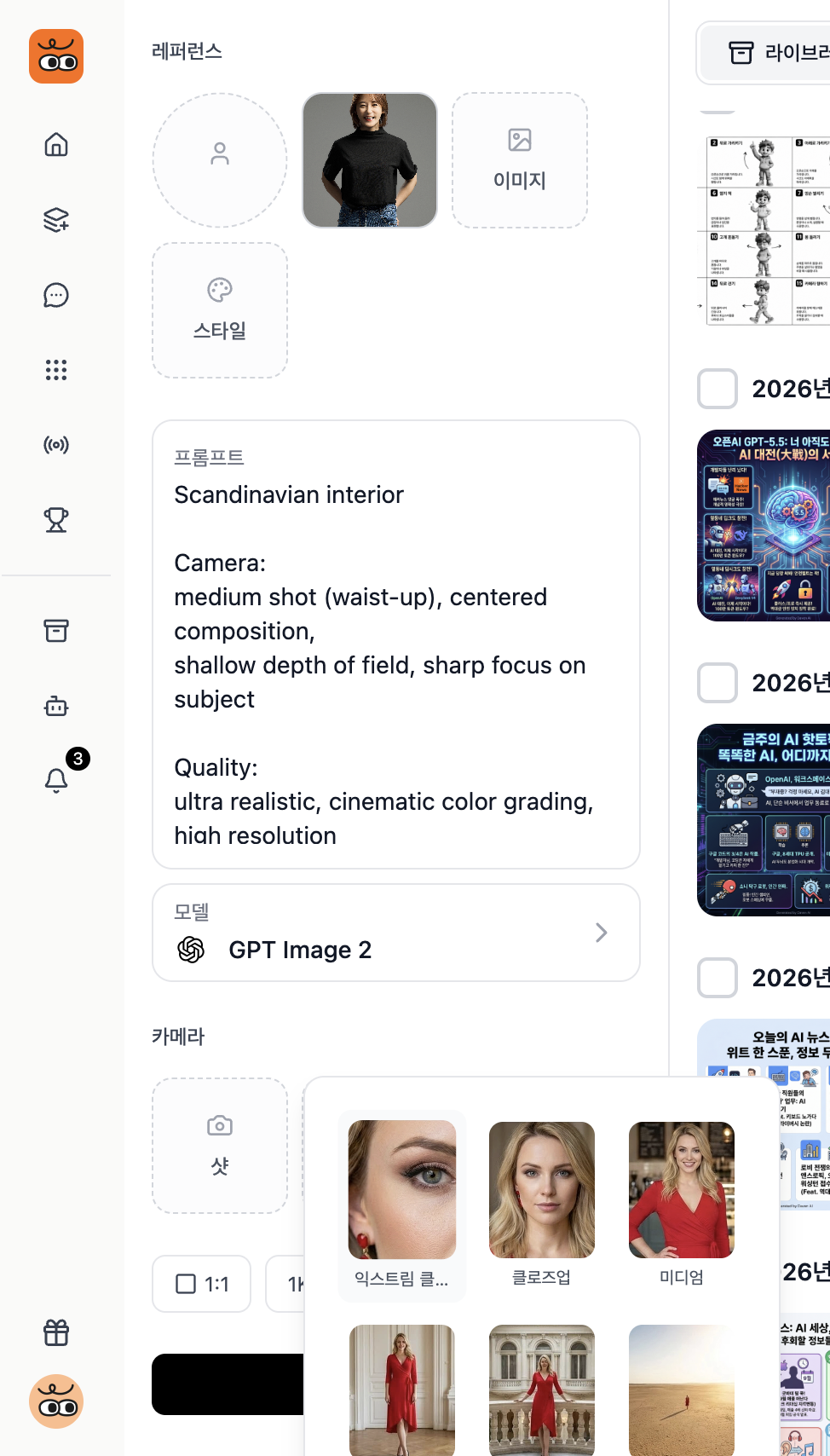
3. 사진 올리고 프롬프트 입력, 아래 모델 선택 (나노바나나, 씨드림 등 다양)
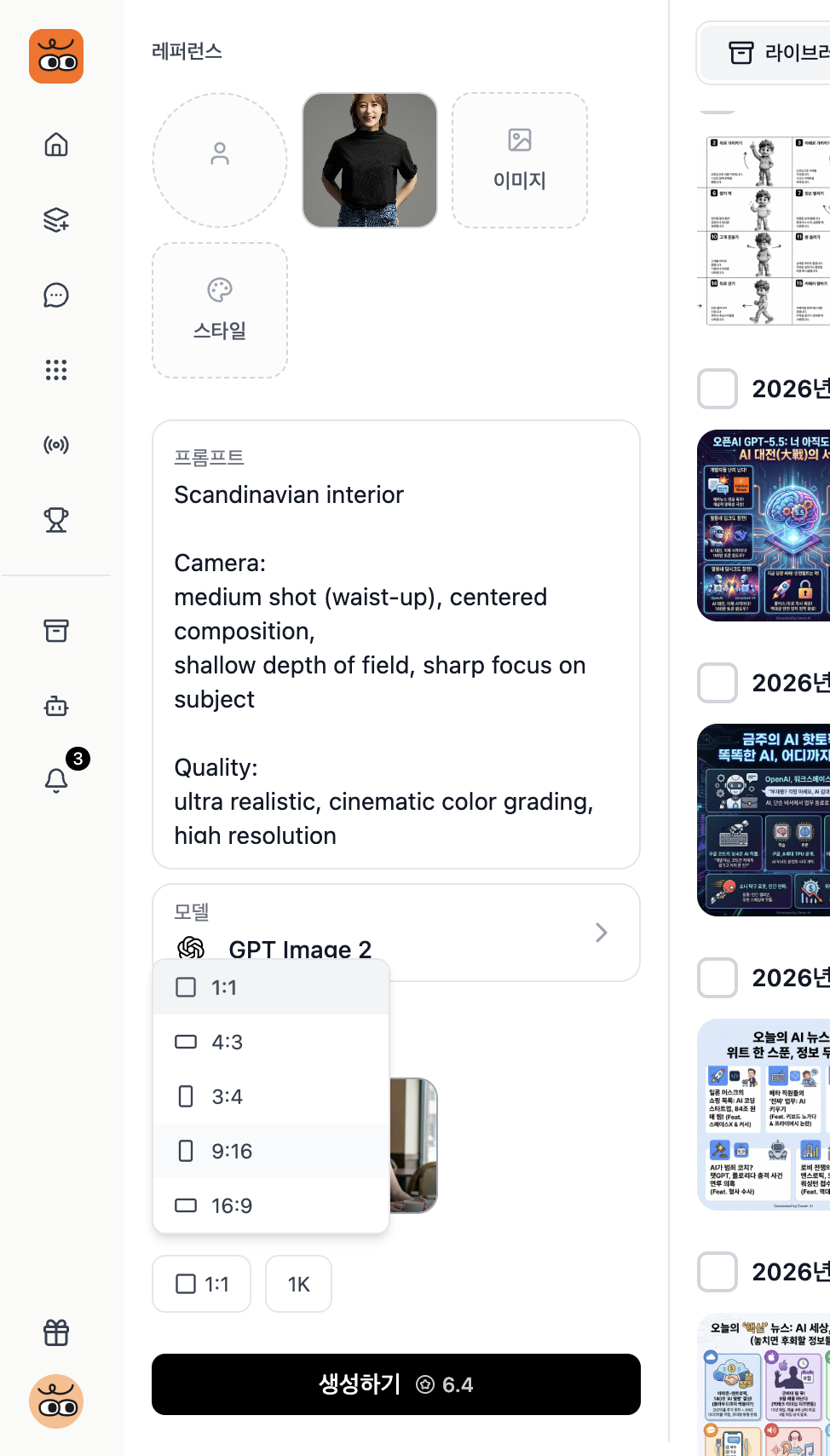
4. 카메라, 앵글, 크기 선택
5. 생성하기 클릭
6. 생성되면 비디오 만들기 클릭
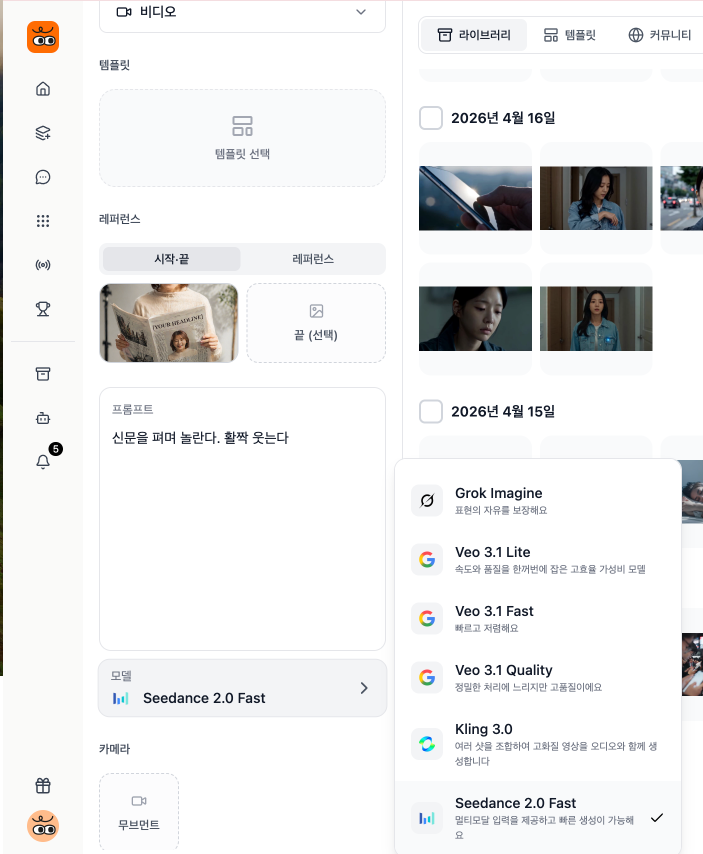
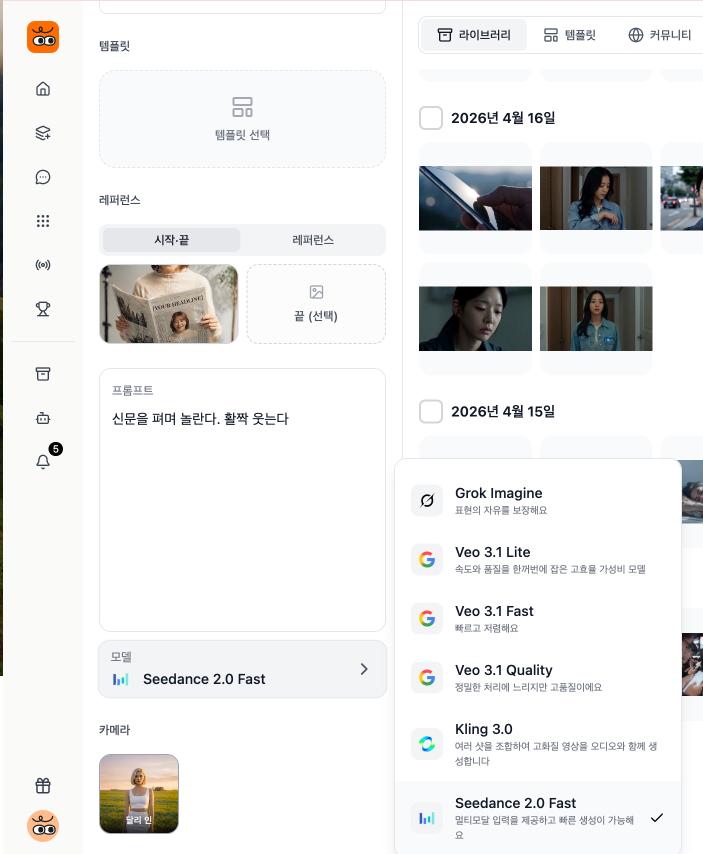
맘에 안들면 다시 만들기 클릭, 프롬프트 등 수정 7. 프롬프트 입력. 비디오 모델 선택.
조금 더 아래보면 씨댄스 2.0도 있습니다!! 2.0이 조금 더 비싸고 잘 나오긴 합니다 ^^
😉 "이 뉴스레터가 유용했다면, 친구와 동료에게도 공유해주세요! 📩
📰 다양한 AI 활용법, 튜토리얼, 쏟아지는 뉴스 큐레이팅! AI 레시피 커뮤니티에서 놓치지 마세요!!
https://open.kakao.com/o/g6xdSAfh 👈 AI 레시피 커뮤니티 입장




의견을 남겨주세요